
Timeline
- January - March 2023 (12 weeks)
Role
- Student project during BCIT UX/UI Design program
PROBLEM
Gamers often find it challenging to find others who share similar interests and playstyles
As a gamer, I’ve come to realize how challenging it can be to find others to play with, especially if you have no avenue to meet new people that share your game. This got me thinking—how can we close the gap for gamers seeking not only to find people to play with, but also to build meaningful connections beyond the game?
SOLUTION
Community-building features designed to help gamers discover like-minded players
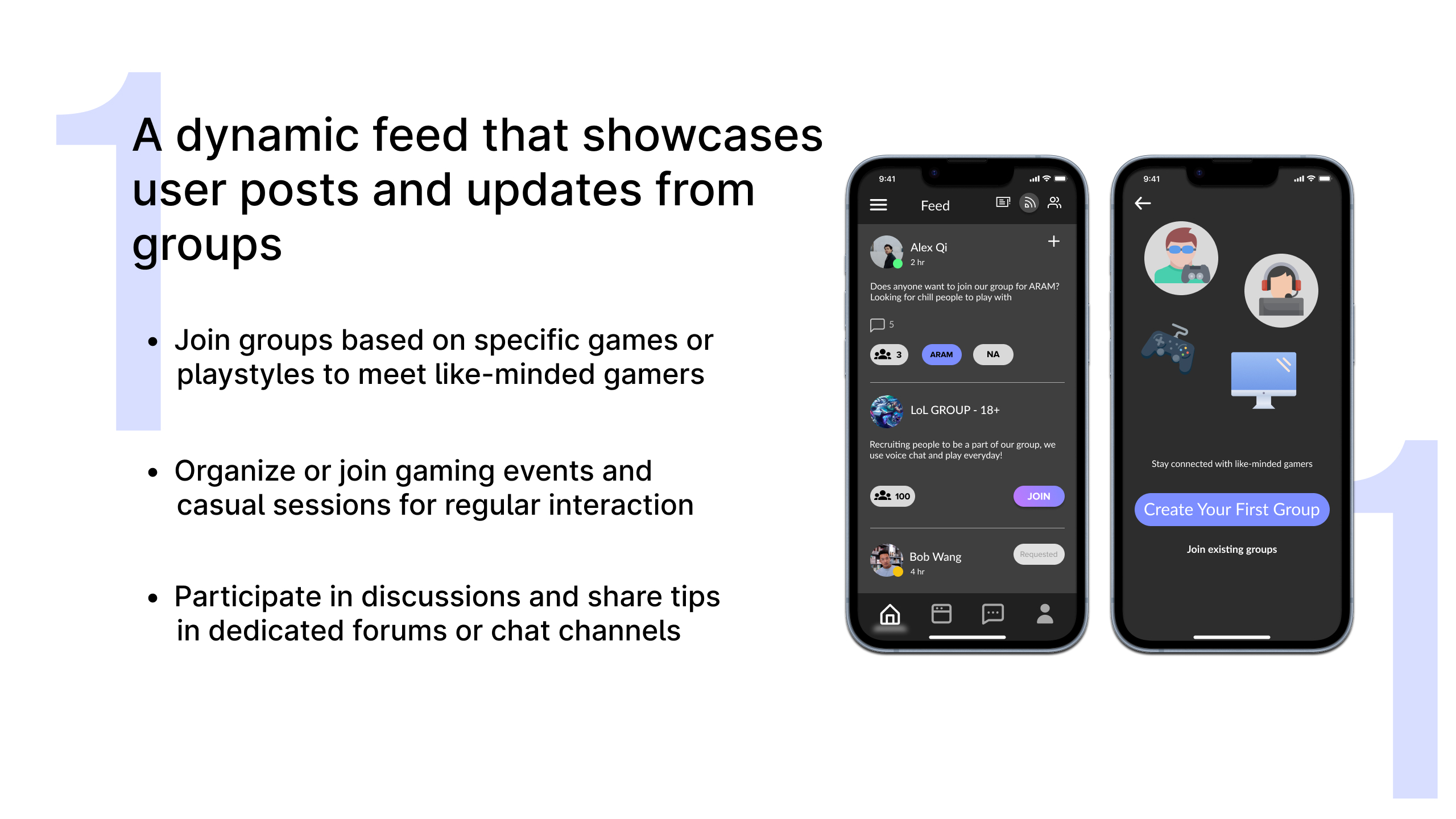
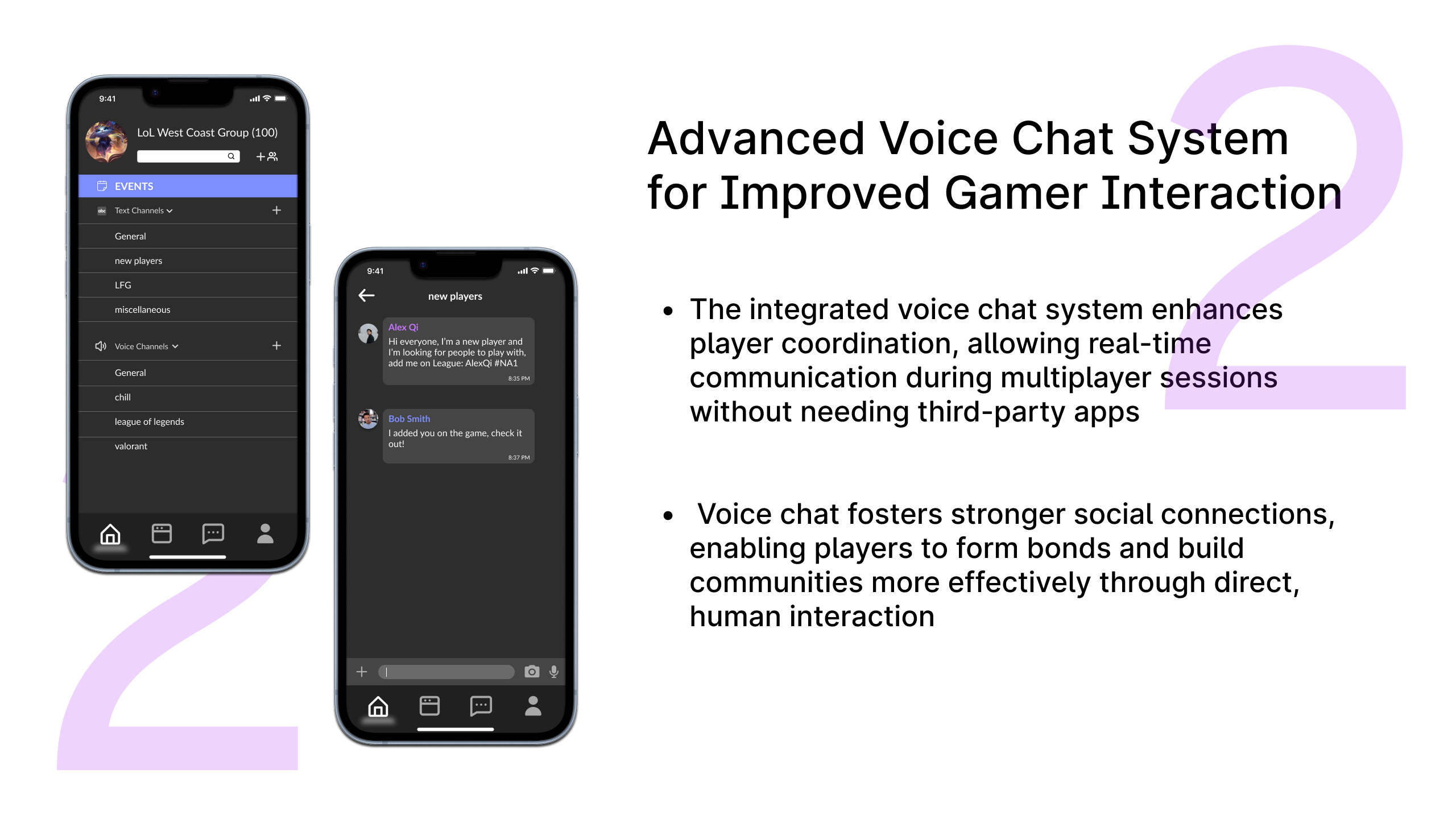
Integrated Voice Chat System
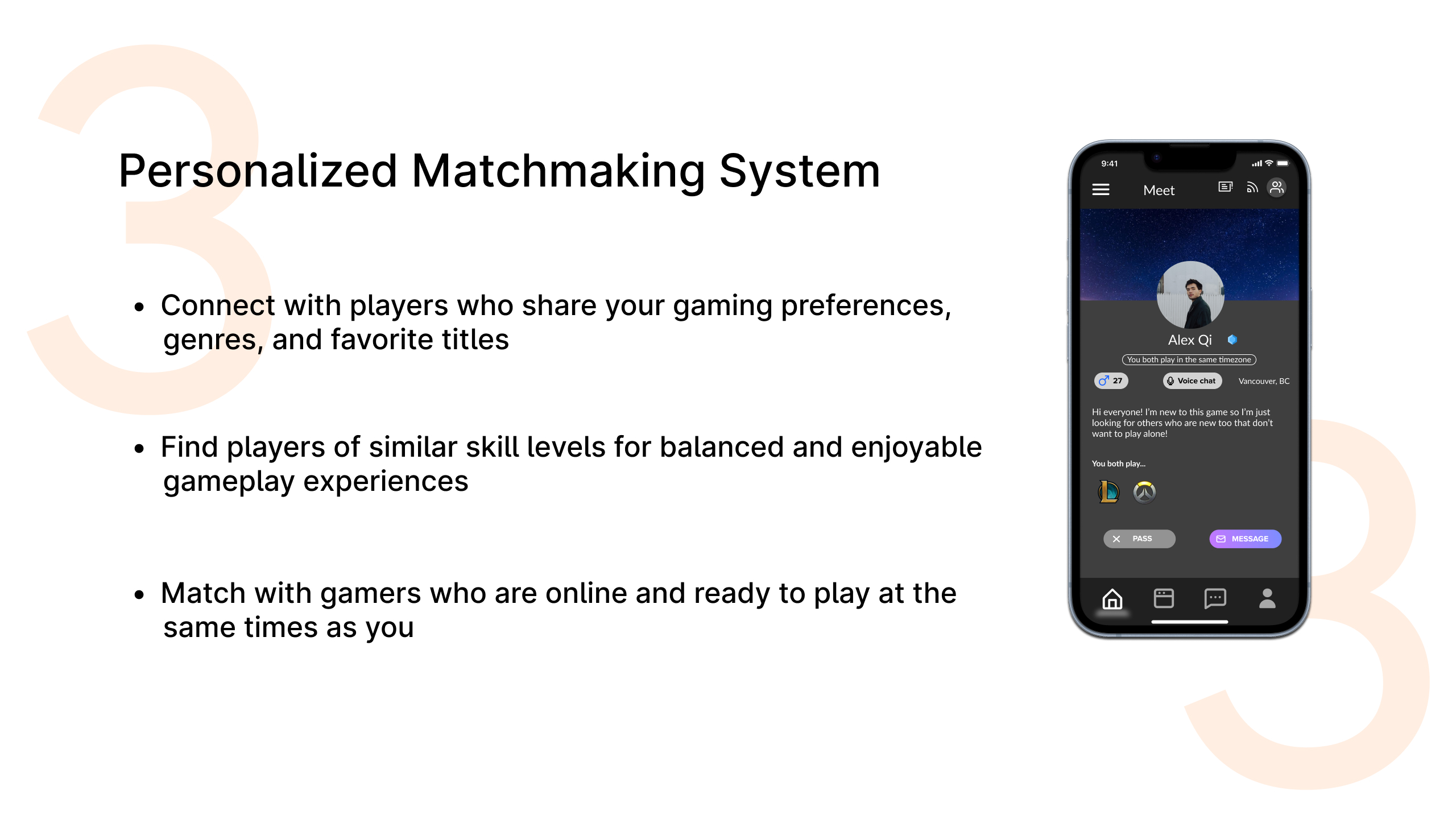
Tailored Matchmaking Experience
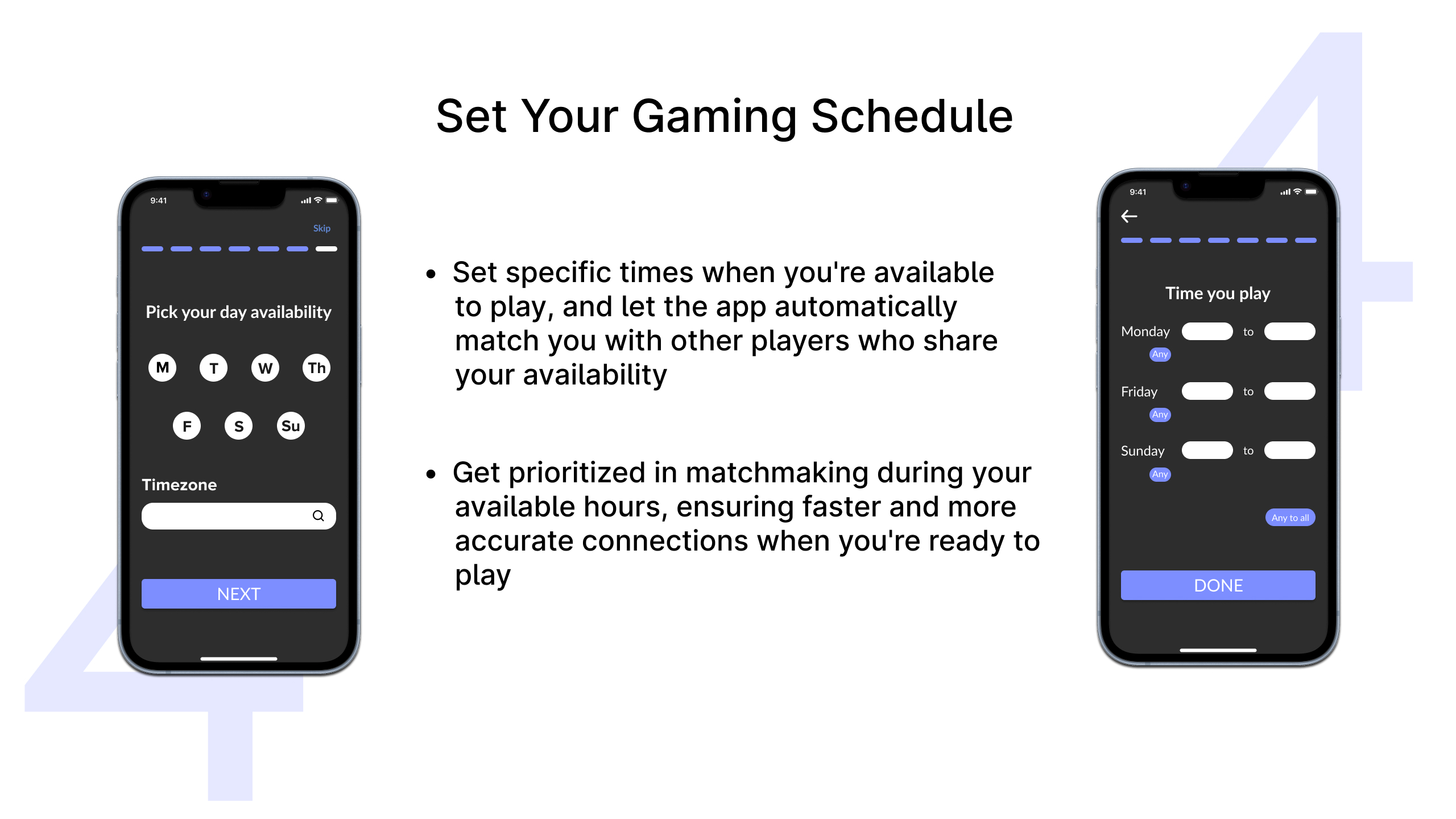
Make Your Own Schedule
RESEARCH
I began my research by looking at the motivations behind gaming and the multiplayer experience. Interestingly, I found this statistic from the Entertainment Software Association:
"... 77% of global players agree video games bring different types of people together and nearly 60% say video games create a feeling of community"
With over 3 billion gamers around the world, we can say with no doubt that there is a huge global community of gamers each with their own motivations and desires.
COMPETITIVE ANALYSIS
I analyzed 3 apps that dove into this market, GamerLink, Plink, and GameTree, all each with their own strengths and weaknesses.
GamerLink

GameTree

Plink

USER INTERVIEWS
I interviewed 5 people that regularly played video games with survey questions. The results of this interview helped me produce my user journey and create an affinity map which led me to some key themes and insights.
RESEARCH QUESTIONS
1. Can you tell me about your favorite types of games and why you enjoy playing them?
2. How do you usually find people to play games with?
3. What’s the biggest challenge you face when trying to connect with other gamers?
4. How important is the social aspect of gaming to you?
5. What features would you find most useful in an app designed to connect gamers?
6. How would you feel about using an app that matches you with players based on interests and skill level?
7. If you could change one thing about existing gaming apps, what would it be?
I then created an affinity map combining overlaps and finding unique patterns. I created groups based on frequency and impact on experience.

USER JOURNEY
Using both the answers from the interview questions and the affinity map, I created a user journey for what one of the users of my app might experience.

KEY FINDINGS
Gamers prioritize reliable teammates and clear communication, emphasizing the need for smart matchmaking and in-app communication tools
The affinity map revealed three major themes driving user needs and expectations for the gaming app:
COMMUNICATION
Voice chat and messaging tools are essential for gamers to coordinate effectively and enhance teamwork, especially in multiplayer environments.
COMMUNITY
Players are more likely to stay engaged with a gaming app that fosters a sense of community and long-term connections, rather than just focusing on quick matchmaking for single sessions.
MATCHMAKING
Users prioritize finding compatible teammates to ensure enjoyable gameplay experiences. They want to find people with similar interests and want to know they will get along with them.
TESTING & IMPROVEMENTS
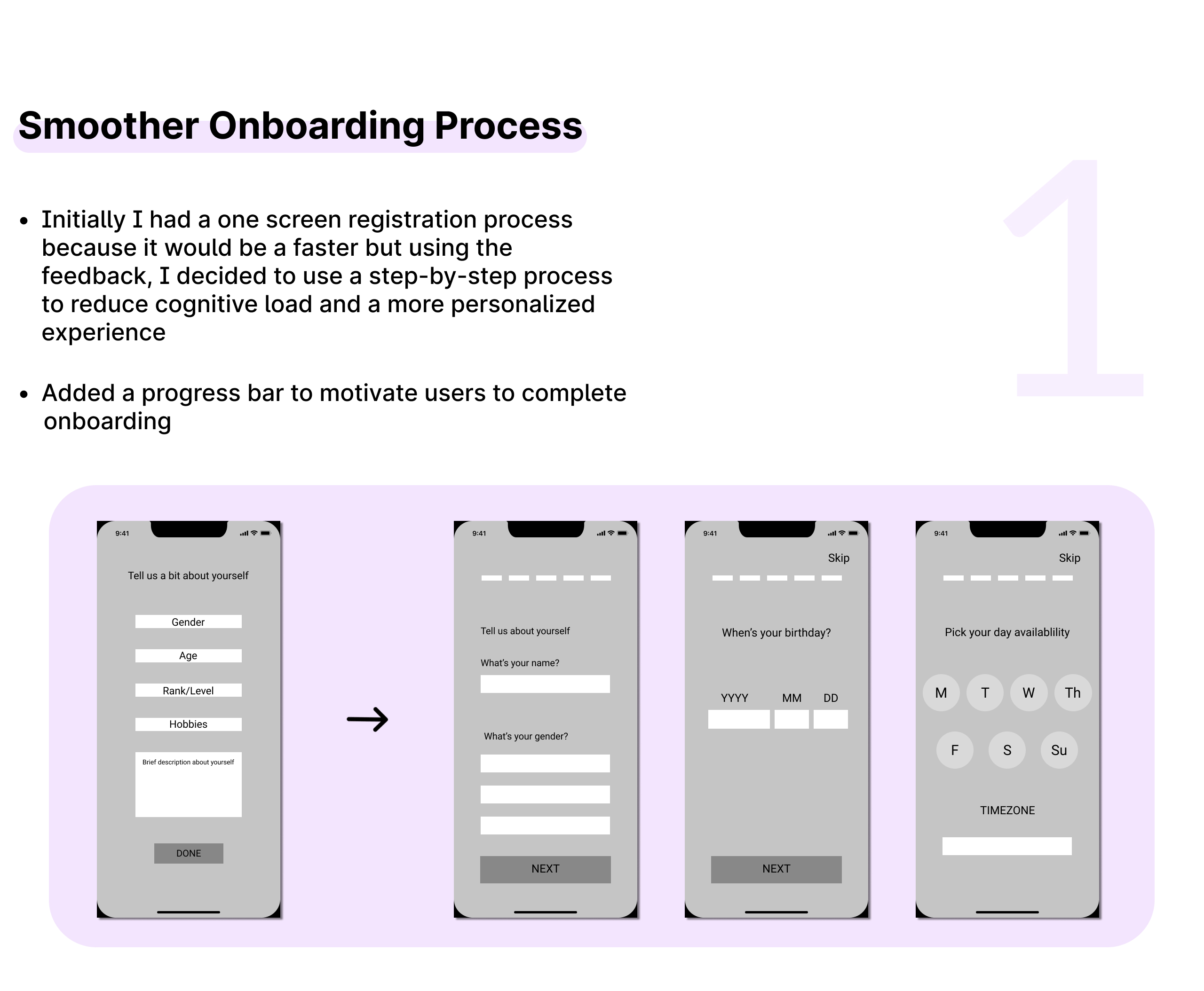
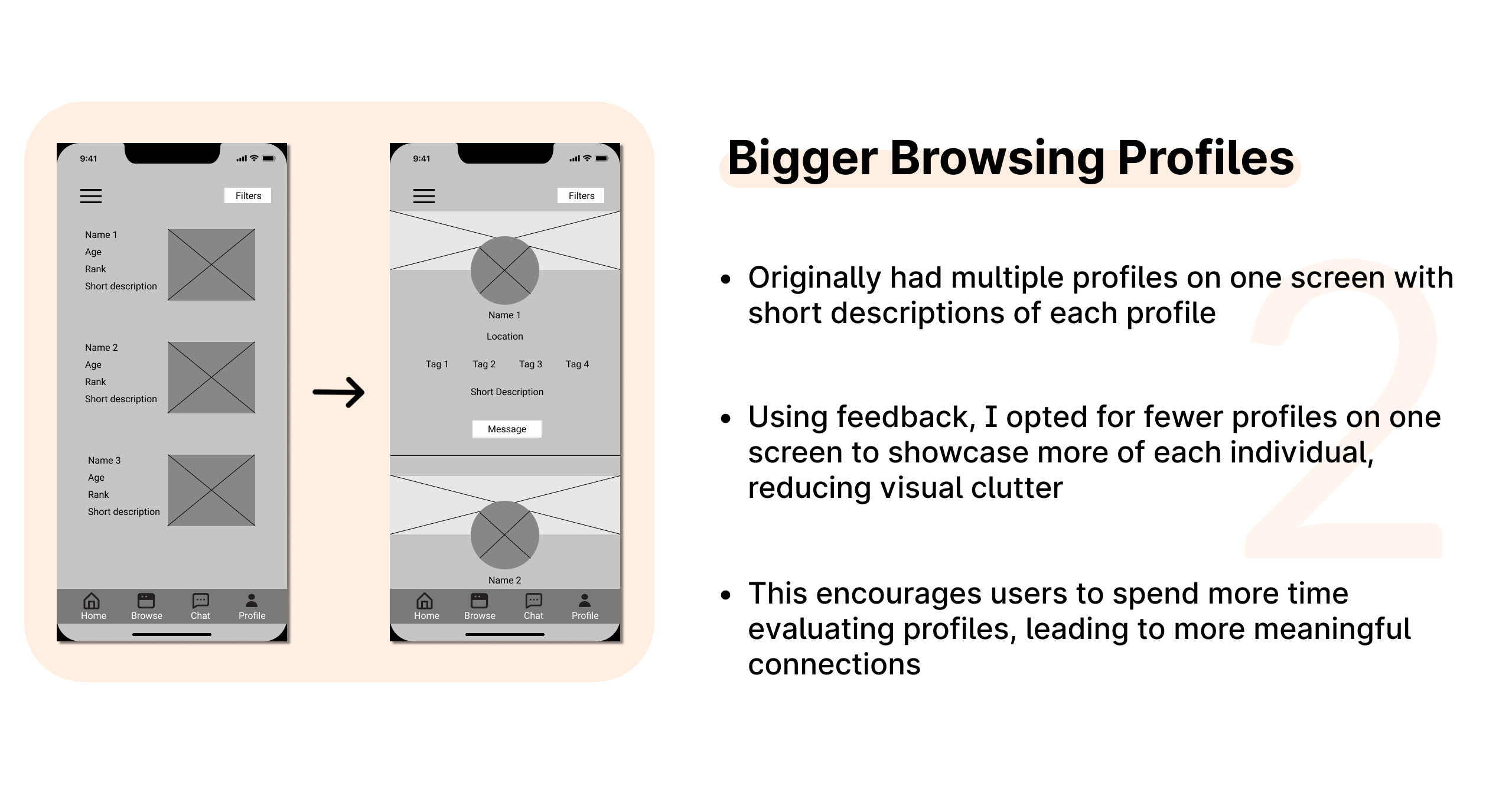
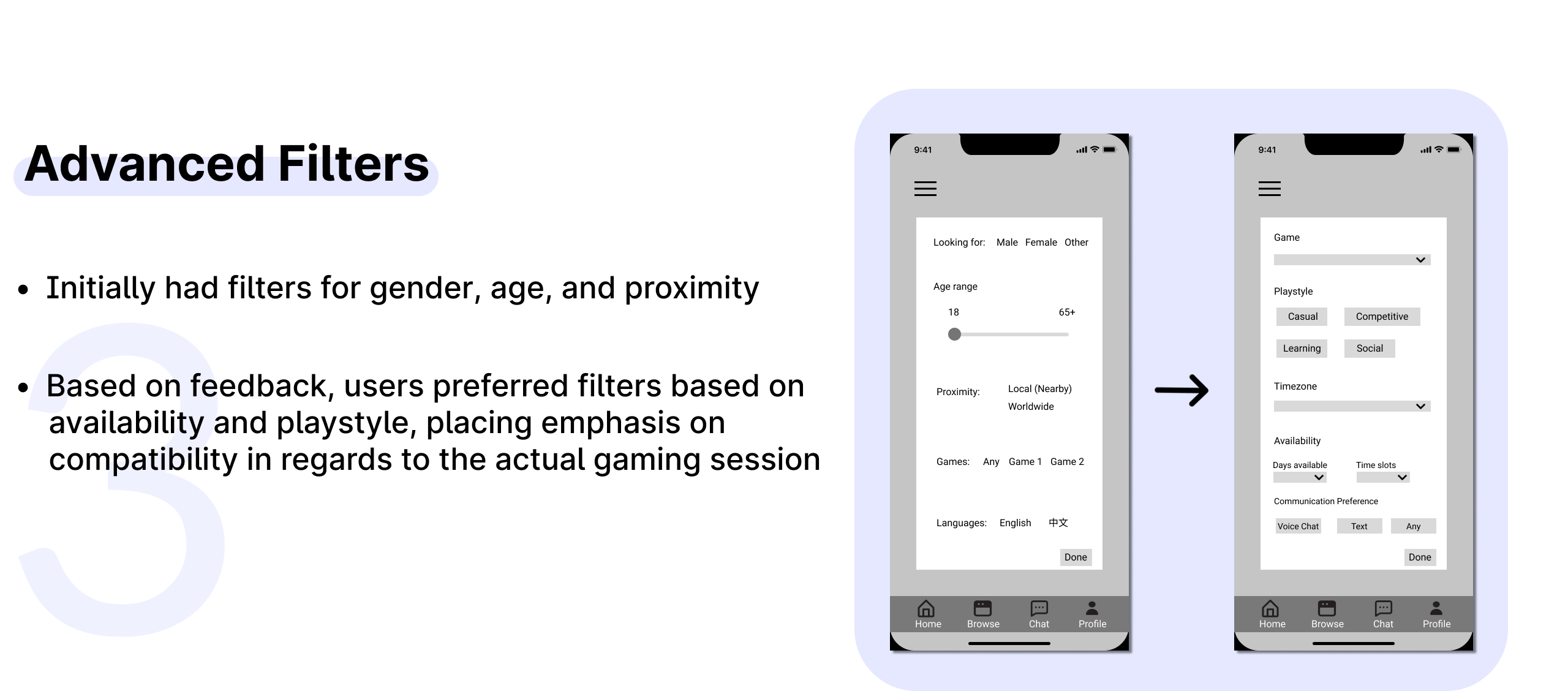
Through testing and user feedback, I identified key areas for improvement
FINAL PROTOTYPE
The final screens of my app

STYLE GUIDE
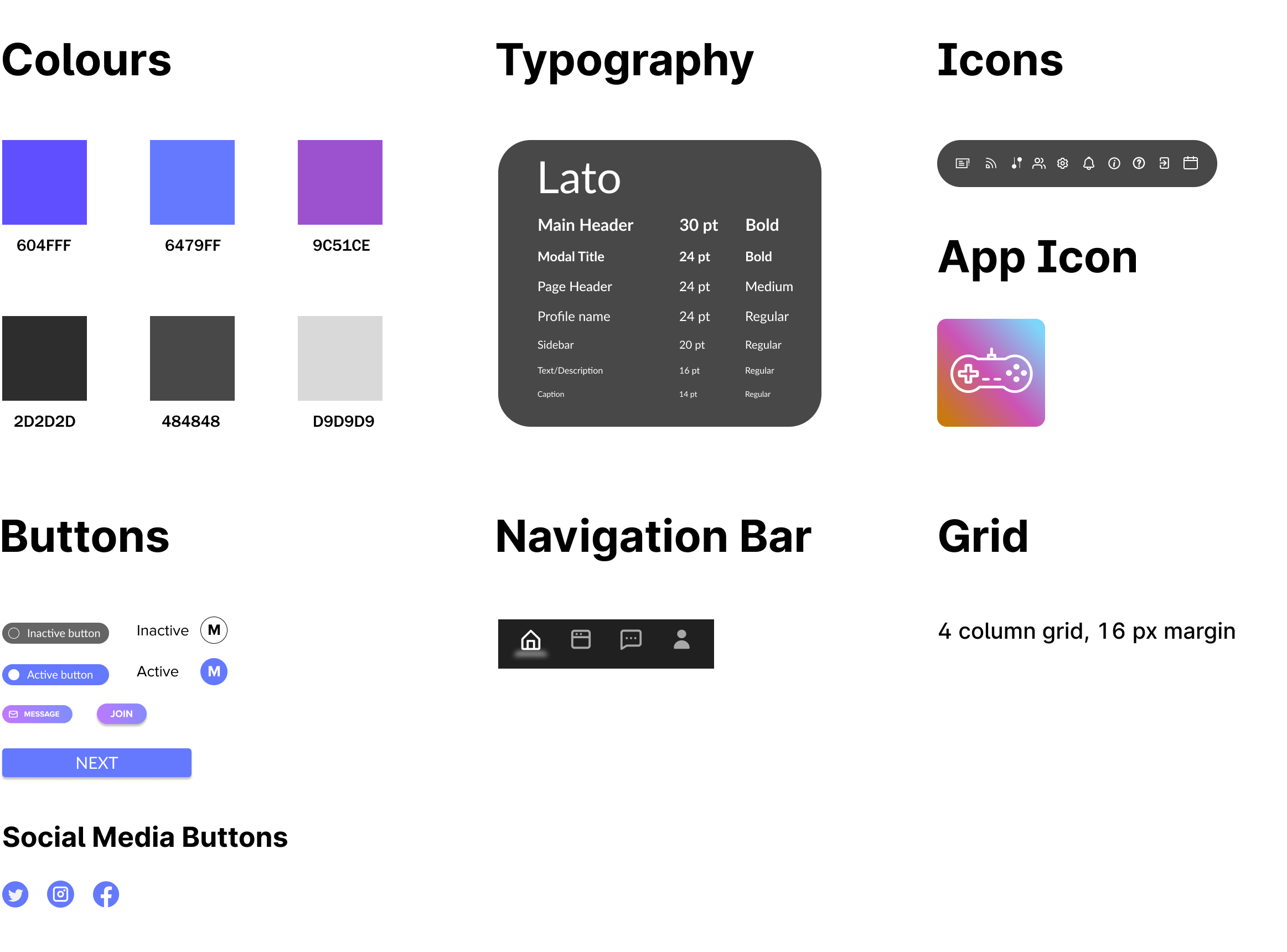
LESSONS LEARNED AND FUTURE IMPROVEMENTS
This is the first UX project I've ever done and I'm glad to be able to dive into the process and learn so much from it. Reflecting on this process, there are a couple of decisions I would approach differently for next time:
1. Utilizing Figma Plugins for Accessibility
Rather than using the plug-in (Stark) to check for accessibility after completing all the frames, I should be ensuring that during the process of creating each frame, I should already be within WCAG standards. A lot of the colours I had used in my initial prototype wasn't approved in WCAG standards for contrast which led me to a lot more work near the end changing the colours after I found out the contrast didn't work out.
2. Feedback is Key
I asked for feedback from peers and others in the industry after I was completed most of my prototype already. Moving forward, it makes more sense to incorporate feedback loops earlier in the process, rather than lumping all the revisions at the end. This ensures the app is aligned more closely with user expectations from the get-go.
3. Explore Multiple Design Paths
Next time, I will develop multiple versions of key features to compare the effectiveness and ask for feedback on both. For example I could test how the presentation of matchmaking results affects user engagement:
Option A: Show one match at a time with a detailed description and have the option to Connect or Skip (This is what I currently have in my prototype).
Option B: Show multiple matches at a time with fewer information on each profile, allowing users to browse faster.
By having multiple UI designs, it can identify what users value more, guiding how I should prioritize my design.
4. Think in Terms of the User
When I initially dove into this project, I was thinking in terms of what I would want to see on the app, rather than what the average user would want. I had to get out of my own head that what feature I thought was best here doesn't necessarily mean that it's the best for the app overall. I should practice constantly iterating my app to find the best solution, taking in user feedback, even if I personally don't think it should be that way.
Thank you for reading!
Selected Works
